Creating a productive home workspace is essential in today’s world where many of us spend a significant amount of time working from home. The right environment can improve focus, reduce stress, and help maintain a healthy work-life balance. This guide offers practical tips on setting up a workspace that enhances productivity and comfort, no matter the size of your home or budget.
Why a Dedicated Workspace Matters
Having a dedicated area for work helps your brain distinguish between “work mode” and “relaxation mode.” This separation can increase concentration and motivation. Even if you don’t have a separate room, carving out a small, defined space for work can make a big difference.
Choosing the Right Location
Consider natural light
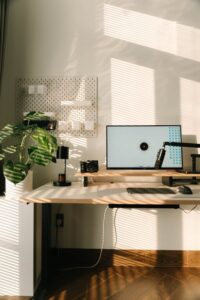
Position your workspace near a window if possible. Natural light boosts mood and helps reduce eye strain. Avoid glare on your computer screen by placing your desk at an angle to the window.
Minimize distractions
Choose a quieter area in your home to limit interruptions. If that’s not an option, consider noise-canceling headphones or a white noise machine.
Accessibility
Make sure your workspace is easily accessible, encouraging you to start work on time and stay focused.
Ergonomic Furniture for Comfort and Health
Desk
Select a desk that fits your space and offers enough room for your work essentials. A simple desk with drawers can help keep items organized.
Chair
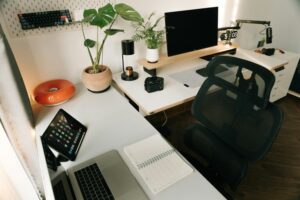
Investing in an ergonomic chair is key. The chair should support your lower back and allow your feet to rest flat on the floor.
Monitor Position
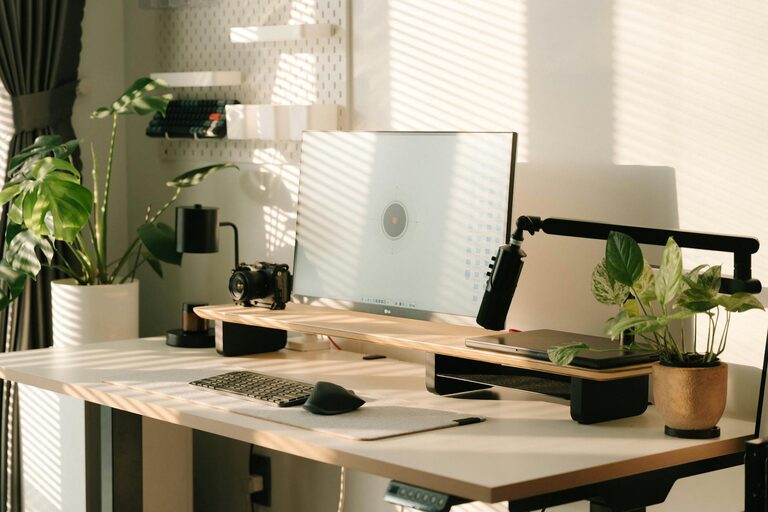
Keep your computer monitor at eye level to avoid neck strain, ideally about an arm’s length away.
Organizing Your Workspace
Declutter regularly
A clean workspace reduces stress and improves focus. Clear out unnecessary papers and supplies weekly.
Use storage solutions
Drawer organizers, shelves, and baskets keep items neat and easy to find.
Cable management
Use clips or ties to keep cords tidy and out of the way.
Personalizing Your Space
While the primary goal is productivity, making your workspace inviting can boost creativity and morale. Add a plant, artwork, or a photo. Just be careful not to overcrowd the area.
Lighting: Bright but Gentle
In addition to natural light, use a desk lamp with adjustable brightness. Warm lighting is easier on the eyes during long work sessions.
Setting Boundaries for Work-Life Balance
At the end of your workday, clear your workspace or close your laptop to signal the transition to personal time. Setting specific work hours can also help maintain balance.
Tips for Staying Focused
Plan your day
Use to-do lists or digital planners to organize tasks.
Take breaks
Short breaks every hour improve focus and reduce fatigue. Try stretching or a quick walk.
Minimize digital distractions
Turn off non-essential notifications and use apps that promote focus.
Technology Essentials
Reliable internet and devices
Ensure your internet connection is fast and stable. Keep your devices updated.
Backup solutions
Regularly back up important files to avoid data loss.
Conclusion
A productive home workspace combines comfort, organization, and personal touches that keep you motivated. It doesn’t have to be expensive or large—small changes can lead to big improvements in your work experience. By creating a space tailored to your needs, you set yourself up for success every day.
—
By following these tips, you can transform any corner of your home into an efficient and pleasant workspace, making working from home more enjoyable and productive.